The Free Potluck List Organizer

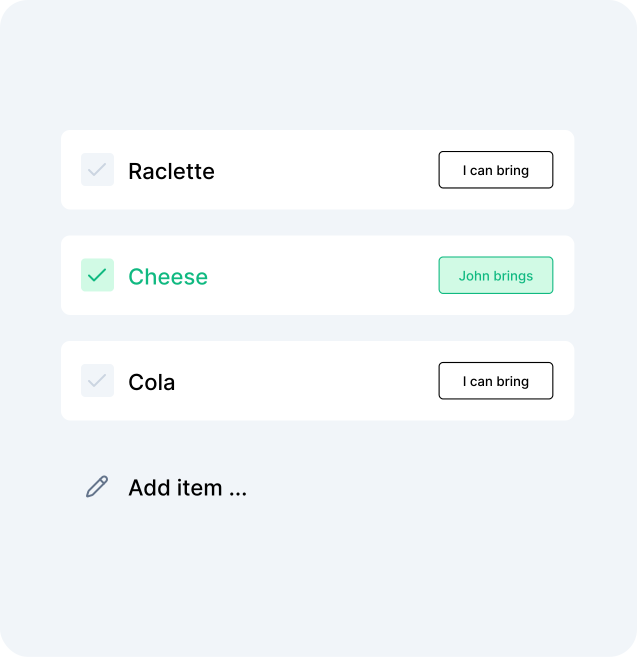
Create a shared potluck list in seconds. Everyone sees who is bringing what. No more three potato salads.

Perfect for every potluck occasion

Holiday dinner Office potluck Block party Family reunion Friendsgiving Birthday potluck Baby shower Game night Graduation party Summer BBQ Your own occasion

No login required Always free Share in one link 1,000,000+ happy users

Organize your potluck in 3 steps

  1. Create your list

    Type a name for your potluck and hit create. Add the dishes or items people should bring.

  2. Share the link

    Send one link to all your guests. They open it on any device, no app or account needed.

  3. Everyone commits

    Guests claim what they're bringing. You see the full picture live, zero confusion.

Everything a potluck organizer needs

Always free

Clear commitments

Guests put their name next to a dish. No more mystery: you see exactly who's on it.
Live updates

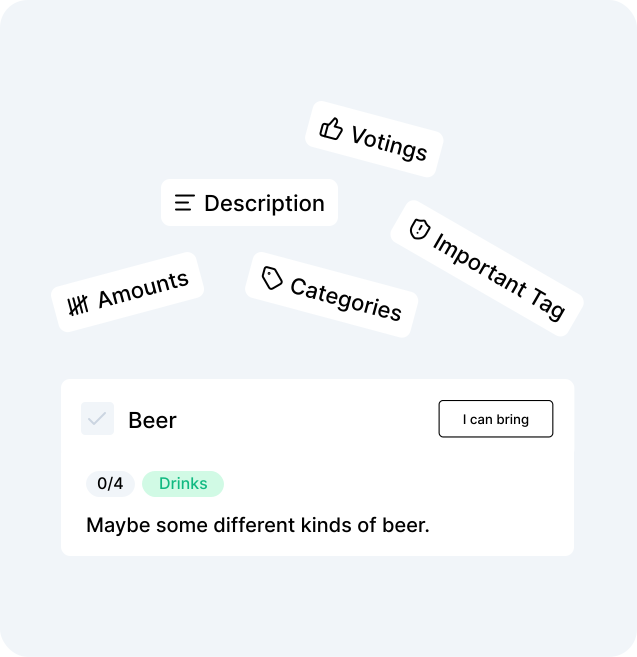
The list updates in real time. Someone just claimed the dessert? Everyone knows instantly.

Auto-organized categories

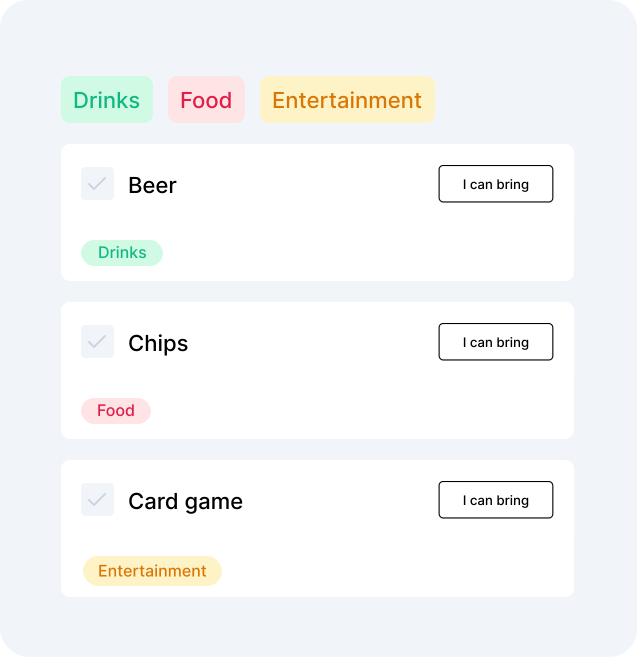
Items are grouped into starters, mains, drinks, desserts and more, automatically.

Vote on dishes

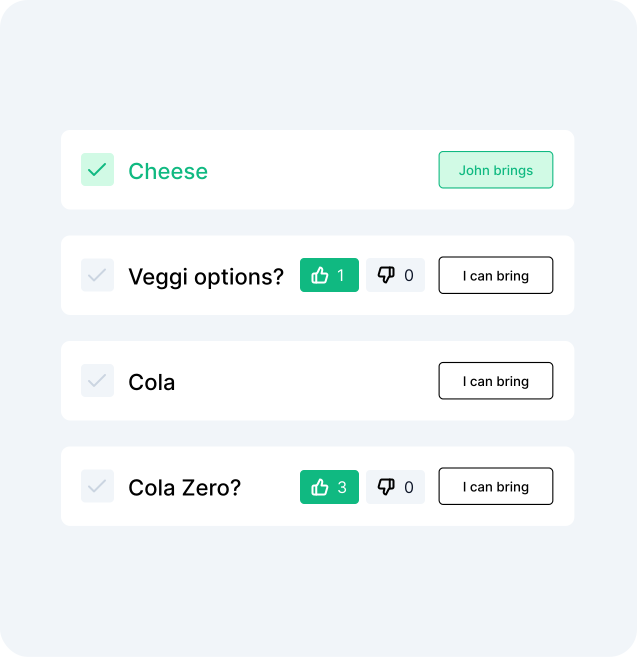
Not sure if a dish is wanted? Let guests vote before anyone commits.

Amounts & servings

Specify how many portions or bottles are needed so nothing gets over-supplied.
Share anywhere

Send via WhatsApp, iMessage, email, or any group chat. One link does it all.

Guided invites

Send a personal, step-by-step invite instead of a plain link: guests RSVP, pick a dish, and answer any extra questions in one guided flow.

Print the list

Download the potluck list as a PDF - take it shopping or pin it up in the kitchen.

potluck list commitments feature

Clear commitments

Guests put their name next to a dish. No more mystery: you see exactly who's on it.

potluck list smart features

Amounts & servings

Specify how many portions or bottles are needed so nothing gets over-supplied.

potluck list categories

Auto-organized categories

Items are grouped into starters, mains, drinks, desserts and more, automatically.
potluck voting feature

Vote on dishes

Not sure if a dish is wanted? Let guests vote before anyone commits.

Stop the potluck chaos. Start a whobrings list.

Anyone who has organized a potluck knows the drill: the message thread explodes, half the group brings chips, and nobody remembered drinks.

What is a potluck list organizer?

A potluck list organizer is a shared digital list where each guest can see what's needed and claim a dish or item. whobrings.com gives you exactly that: a clean, real-time list your whole group can access from a single link, with no account required.

Why whobrings works better than a group chat

One source of truth: Instead of scrolling back through messages, everyone opens the same link and sees the same up-to-date list.

No duplicates: Once someone claims a dish, it is taken. Your potluck ends up balanced, not buried in lasagna.

Works for any size: Five friends or fifty colleagues, the list scales without any spreadsheet gymnastics.

Zero friction for guests: They click the link, pick their item, and they're done. No download, no signup, no password.

Ready to run the smoothest potluck your group has ever seen?

FAQ

Potluck planning: frequently asked questions

How do I organize a potluck dinner?

Create a list on whobrings.com, add the dishes or categories you want covered (starters, mains, desserts, drinks), then share the link with your guests. They claim items directly on the list, no coordination needed on your end.

How many dishes should I have at a potluck?

A good rule of thumb is one dish per 2–3 guests, plus dedicated spots for drinks, bread, and a dessert. whobrings lets you set amounts per item so you know exactly how many portions are covered.

What should people bring to a potluck?

A balanced potluck has starters, one or two main dishes, sides, drinks, and a dessert. Use whobrings categories to organize these sections and make sure every category has a guest committed to it.

Can guests add items to the potluck list themselves?

Yes. You can allow guests to add their own items to the list, or keep it curated and let them only claim pre-set dishes. Your choice.

Is whobrings free for potluck planning?

Yes, creating and sharing a potluck list is completely free. No credit card, no signup, no limits on the number of guests.

Start your potluck list now. It takes 30 seconds.

No login required · Always free