The Free Volunteer Sign-Up Sheet

Add the tasks and time slots your event needs and share one link. Helpers pick their own shifts, and you see at a glance which slots are still empty.

Made for every event that needs helping hands

Festival Fundraiser School fair Church event Sports tournament Charity run Christmas market Food bank Open day Club party Your own event

No login required Free to start Share in one link 1,000,000+ happy users

How to make a volunteer sign-up sheet in 3 steps

  1. Add tasks and time slots

    Name your list, switch on shifts and add the jobs: bar, cake stand, setup. Split each one into time slots and set how many helpers a slot needs.

  2. Share the link

    Send one link to your group chat, newsletter or parent email list. Helpers open it on any phone, no app or account needed.

  3. Helpers pick their shifts

    Everyone ticks the slots that suit them and gets a confirmation email with a calendar entry. Full slots close on their own.

Everything your volunteer sign-up needs

Free to start

Helpers sign up themselves

Volunteers pick one or more open slots in one go. No more chasing people one by one in the group chat.

Set spots per slot

Need three people at the bar from 2 to 4? Set it, and the slot closes as soon as it is full. No shift ends up overbooked.

Live updates

When someone takes a slot, everyone sees it instantly. Two people never end up with the same last spot.
See the gaps at a glance

Your organizer view colors every slot green, amber or red, so you know where to recruit long before the day.

Confirmation with calendar entry

Every helper gets an email with their shifts and a calendar file, so the 2 pm bar shift really ends up in their calendar.

Changes reach your helpers

Move or cancel a shift and the helpers on it get an email. If they cannot make it, they cancel with one link and the spot opens up again.

Names, not phone numbers

The public sheet only shows short names like "Anna Mü.". Email addresses and phone numbers stay visible to organizers only.

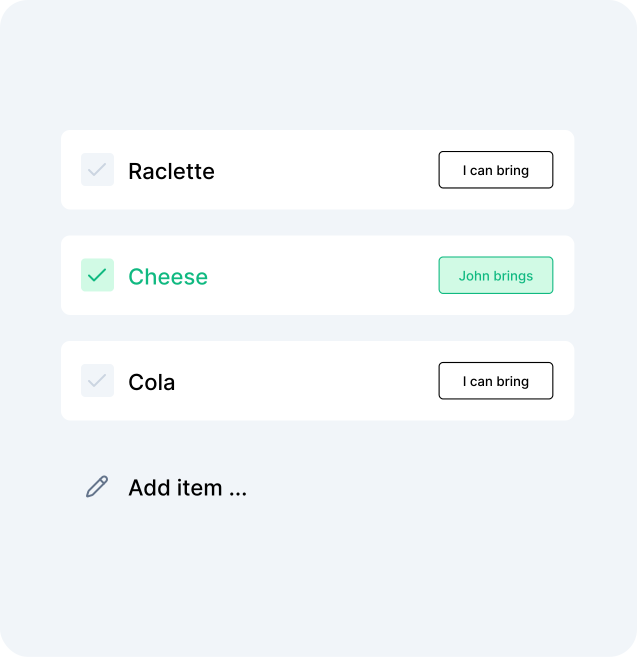
Who brings what, on the same list

Need cakes for the cake stand too? Your shifts and your bring list share one link, so helpers see both.

Unlimited tasks

Premium

Plan up to two tasks for free. Premium removes the limit for big events with many stations.

Cancellation alerts

Premium

Get an email the moment a helper drops out, so you can find a replacement in time.

Member management

Premium

Invite your co-organizers by email, see who has joined and remove anyone who is no longer involved.

Roles & permissions

Premium

Make a co-organizer an admin so they can plan shifts with you.

Helpers sign up themselves

Volunteers pick one or more open slots in one go. No more chasing people one by one in the group chat.

See the gaps at a glance

Your organizer view colors every slot green, amber or red, so you know where to recruit long before the day.

Live updates

When someone takes a slot, everyone sees it instantly. Two people never end up with the same last spot.

volunteer sign-up sheet with a bring list

Who brings what, on the same list

Need cakes for the cake stand too? Your shifts and your bring list share one link, so helpers see both.

Swap the clipboard for an online volunteer sign-up sheet

Anyone who has rounded up helpers knows the drill: a sheet on the clubhouse door, a dozen "I could do Saturday, maybe" messages, and still nobody for teardown.

What is a volunteer sign-up sheet?

A volunteer sign-up sheet lists the jobs and time slots an event needs, so helpers can put their name down for a shift. Online, it lives behind one link: helpers see which slots are still open, pick theirs in a few taps, and the sheet fills itself while you plan the rest.

Why an online sign-up sheet beats paper and group chats

Everyone sees the same sheet: No photo of the clipboard going round the group chat. The link always shows who signed up for what.

Shifts cannot be overbooked: Each slot has a fixed number of spots. Once it is full, it closes, even if two people tap at the same second.

Helpers remember their shift: The confirmation email carries a calendar entry, and if you move a shift, the new time lands in their inbox.

Zero friction for volunteers: Name and email, pick the slots, done. No app, no password, no account.

Ready to fill every shift before the big day?

FAQ

Volunteer sign-up sheets: frequently asked questions

How do I create a volunteer sign-up sheet online?

Name your list on whobrings.com, switch on shifts and add a task like "Bar" with the time slots you need covered. Share the link and helpers sign up themselves.

Can volunteers sign up for more than one shift?

Yes. Helpers tick as many open slots as they like and submit them together. If two of their shifts overlap, they see a warning before they confirm.

Do volunteers need an account to sign up?

No. Helpers enter their name and email and pick their shifts. The email is only used for the confirmation, the calendar entry and the link to cancel.

What happens when a shift is full?

Every time slot has a fixed number of spots. As soon as the last one is taken, the slot shows as full and nobody else can sign up for it.

Can volunteers cancel their shift?

Yes. The confirmation email has a cancel link for each shift, and the spot opens up for someone else straight away.

Is the volunteer sign-up sheet free?

Yes. You can plan up to two tasks with as many time slots as you need for free, without an account. Premium unlocks unlimited tasks and emails you when a helper cancels.

Create your volunteer sign-up sheet now. It takes a minute.

No login required · Free to start