Turn a day of setup, bar and teardown into a clear shift plan in minutes. Helpers fill it themselves, and you see every gap before it becomes a problem.
Shift plans for every kind of event
No login required Free to start Share in one link 1,000,000+ happy users
Add a task like "Bar", pick the time from 2 pm to midnight and let whobrings split it into back-to-back shifts. Shifts can run past midnight or across several days.
Decide how many people each shift needs. Three at the bar on Saturday night, one at the cash desk in the morning.
Send the link. Helpers pick their shifts, and your plan shows in green, amber and red where people are still missing.
Free to start
Enter a start, an end and a shift length. whobrings splits the time into back-to-back shifts, with a shorter last one if it does not divide evenly.
A shift can end the next morning, and an event can span a whole festival weekend. Helpers see the shifts grouped by day.
Set the headcount for every shift. Once it is full it closes, so new sign-ups go where the gaps are.
Your organizer view colors every shift green, amber or red and lists all helpers with their contact details.
Nobody gets assigned. Volunteers pick the shifts that fit their day, which is why they actually show up.
The plan updates in real time for everyone. A taken shift is taken, on every phone, instantly.
Helpers get a confirmation with a calendar file. Move a shift and everyone on it gets an email with the new time.
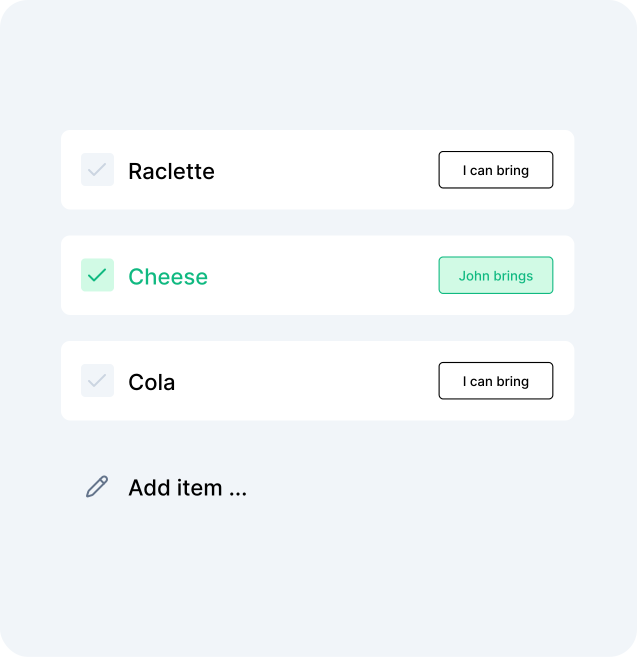
The same link that holds your shift plan also tracks who brings the cakes, the gazebo and the extension cords.
Plan up to two tasks for free. Premium removes the limit for events with many stations.
Get an email the moment a helper drops out, so you can fill the gap in time.
Invite your co-organizers by email, see who has joined and remove anyone who is no longer involved.
Make a co-organizer an admin so they can edit the shift plan with you.
Your organizer view colors every shift green, amber or red and lists all helpers with their contact details.
Nobody gets assigned. Volunteers pick the shifts that fit their day, which is why they actually show up.
The plan updates in real time for everyone. A taken shift is taken, on every phone, instantly.
The same link that holds your shift plan also tracks who brings the cakes, the gazebo and the extension cords.
The classic shift plan is a spreadsheet, emailed around in three versions, with the gaps only showing up on the day. Usually at teardown.
A volunteer shift schedule splits an event into tasks and time slots and shows who covers each one. Unlike a staff roster, nobody is assigned: volunteers choose the shifts that fit them. whobrings turns that into one live plan behind a single link.
Keep shifts short: Two to three hours is what most people happily give. The shift generator cuts a long day into short slots in seconds.
Ask for the real headcount: Set each shift to the number of helpers you truly need. Full shifts close, so extra hands go where the gaps are.
Watch the red slots: The organizer view colors every shift by how full it is. Recruit for the empty ones days ahead, not on the morning of the event.
Plan teardown generously: It is the shift everyone forgets. Give it more spots than you think and put it on the plan from day one.
Ready to see every gap before the event starts?
FAQ
Create a list, switch on shifts and add your tasks. For each task, enter a time range and a shift length and whobrings creates the shifts. Then set how many helpers each shift needs and share the link.
Two to three hours works for most events: long enough to be useful, short enough that people say yes. You choose the length per task, and the last shift is shortened automatically if the time does not divide evenly.
Yes. Shifts have a full start and end date, so a bar shift from 10 pm to 2 am or a whole festival weekend works without workarounds.
The organizer view shows every shift in green, amber or red depending on how full it is, and lists all helpers with their contact details.
Yes. When you move a shift, the helpers on it get an email with the new time. You cannot set fewer spots than people already signed up, so nobody gets dropped by accident.
Yes. You can plan up to two tasks with as many shifts as you need for free, without an account. Premium unlocks unlimited tasks and emails you when a helper cancels.
No login required · Free to start